
I still remember the first time I got my first over-ear headphones, the Superlux 661B. I was so excited about the improvement in audio quality over my cheap earbuds.
However, my excitement quickly got ruined by the headband’s stiffness. It made my head pain within 15 minutes of use.
Clamping force is a necessary evil to keep the headphones in place and provide effective sound isolation. You can’t eliminate it, but I’ll show you different methods to reduce it.
Quick Answer
Adjusting the headband slider by a few notches can reduce the clamping force by a significant margin. You can also place the headphones overnight over a horizontal book stack. It must be wider than your head, which will marginally loosen the headband.
These are the two most efficient and easy methods to reduce clamping force.
I’ve also listed a few other methods, but before that:

What is Clamping Force in Headphones?
A headphone’s clamping force means the amount of pressure or force it applies against your head and ears and is measured in pounds.
The clamping force is essential to keep the headphones in a fixed position on your head. It’s also responsible for better sound isolation.
Thus, if a headphone has low tightness, the earcups will feel loose on your ears, which leads to poor noise isolation.
Different Methods to Reduce the Clamping Force
1. Headband Slider
All on-ear and over-ear headphones come with a headband slider to provide a universal fit.
While I was working as a sales executive in hi-fi audio stores, customers regularly complained about the tightness of their headphones. I would show them that adjusting the headband slider by a few notches is the easiest way to reduce it.
For example, if you have the Bose QuietComfort. You’ll notice the headband slides over on both sides by several notches.
You can adjust the headband for each earcup independently and choose a setting that’s comfortable for you.
If you usually keep the headband slider at the 3rd position for both earcups, you can move it to the 4th or 5th position on both sides for a comfortable fit.
Thanks to my big head, I keep one side of the headband at the 4th notch and the other at the 5th because it gives me a better fit. You can try the same to get a snug fit.
The tightness reduces as you adjust the headband slider. At its fully retracted position, a headphone has the least clamping force.
The headband slider varies across different types of headphones. I’ve always struggled with cheap headphones because they have low-quality headband sliders, whereas premium headphones provide better and more precise control.
2. Horizontal Book Stack
A book stack is one of the oldest, most efficient, and my favorite methods to reduce a headphone’s tightness over time.
In this method, use multiple books and stack them side-by-side.
Make sure the book stack’s width is wider than your head. Otherwise, it won’t reduce the clamping force the way you desire.
Place the headphones onto the stack and keep them there for several hours or overnight. It will stretch the headband by a significant margin.
From my experience, you must try this method for several days or a few weeks to reduce the headband’s tightness permanently.
I used the same method for 15 days to reduce the tightness of my Audio Technica ATH-M20x headband until I was fully comfortable.
If you have a headphone with a plastic headband, don’t make the mistake that I did with my Soundmagic P10. Do not stretch the headphone too much, or the plastic headband might break.
3. Get Velour or Memory Foam Earpads
Most headphones come with average foam-padded earcups with faux leather covers. These earpads are effective for occasional usage, but not the most comfortable option for everyday use.
From what I’ve seen, the stock earpads don’t have enough padding, which makes the headphone’s tightness terrible
If you face the same problem, I recommend switching to velour or memory foam earpads.
I love velour earpads because they are extremely comfortable and don’t irritate your skin like faux leather. It feels like having soft pillows over your ears.
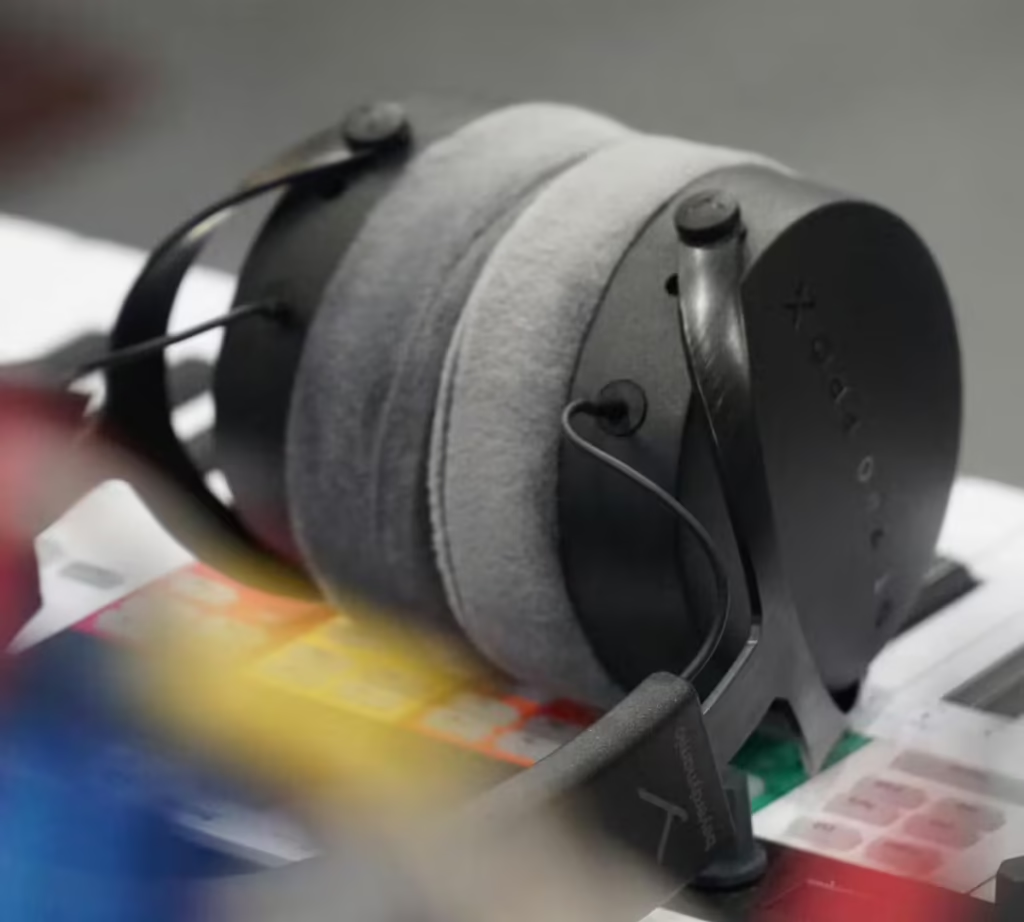
Thanks to premium experience, velour earpads are costly and only come with premium headphones.
Alternatively, memory foam earpads have faux leather covers, and the extra padding absorbs the majority of the stiffness and causes less strain on your ears.
Brainwavz offers memory foam and velour earpads for less than $30. I’ve tried these earpads, and they are comfortable and compatible with most over-ear headphones.
Sure, cheaper velour and memory foam earpad options are available, but the quality is questionable.
Alternatives to Avoid Headphones’ Stiffness
If you don’t want to go through the trouble of constantly adjusting your headphones, you can follow these two methods:
1. Dual Headband Headphones
Some premium headphones like the AKG K702, Meze Audio 99 Classics, and Audio Technica ATH-R70x have dual headbands for better weight distribution, stability, and comfort.
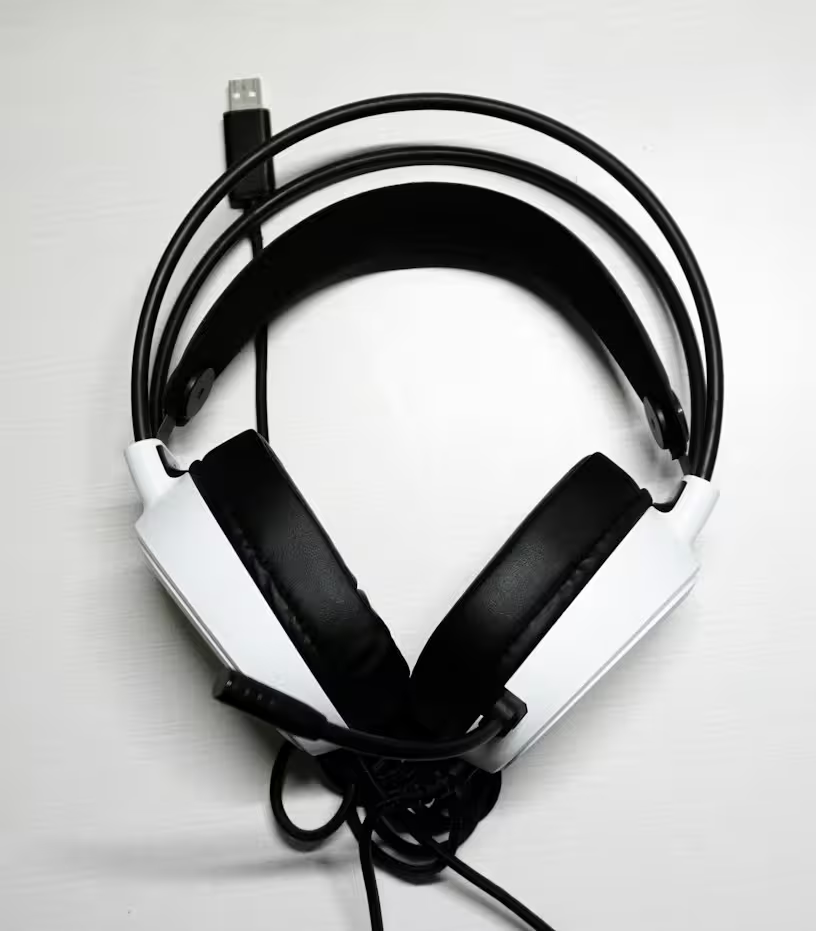
The top headband has metal strips or tubes for better structure, and the bottom headband has a self-adjusting mechanism. It reduces pressure points on your head and ears.
Therefore, when you wear such headphones, the bottom headband adjusts automatically according to your head.
The only downside is that such headphones cost over $250. It’s a hefty price to pay for better comfort.
There are cheaper headphones with dual headbands, but the implementation is poor, and tightness still exists.
2. Get headphones with a low clamping force
If you’re concerned about a headphone’s tightness, I highly recommend getting headphones with low clamping force.
Consumer-driven premium headphones like the Bose QuietComfort Ultra or the Sony MDR-1000XM5 have a comfortable fit with precise headband sliders.
The clamping force of such headphones is managed very well, but the biggest disadvantage is that they cost over $350.
I always recommend that customers go to an audio store like Audio46 or your local hi-fi store and try out most of the headphones available there. It will help you judge how comfortable the headphones feel on your head.
You can also check online reviews, Reddit threads, and numerous audio forums for customers’ reviews about headband stiffness for the headphones you like.
How to Check a Headphone’s Clamping Force
Clamping force is measured in lbs, but headphone manufacturers don’t always specify the number.
Thankfully, RTINGS.com’s comfort score list tests and displays the clamping force of different headphones.

You can open this list, look for headphones you like, and check their clamping force; the lower it is, the better.
If a headphone you want to buy is not listed on the Rtings list, you can also use this neat little Google trick.
Search on Google for your headphone’s name plus clamping force. The search results will primarily show information about the headphones’ tightness if it’s mentioned on the internet.
For example, here’s how I’ll search for Audio Technica ATH-M50X’s stiffness on Google:
Google Search: Audio Technica ATH-M50X + “clamping force”
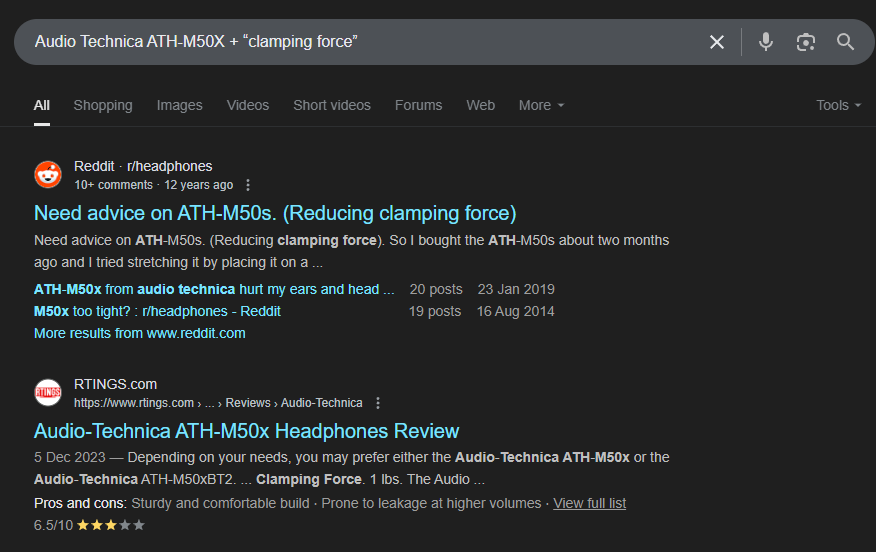
It will show Google results for websites mentioning anything about the M50X’s clamping force.
Conclusion
I hope this article helped you learn about a headphone’s stiffness and the different ways to reduce it.
My go-to method is adjusting the headband slider and using a horizontal book stack, since they are easy to implement.
If you haven’t bought a headphone yet, the RTINGS.com ‘Comfort Score list’ is your best friend. It’ll help you choose a headphone with less clamping force.
If you have any questions or doubts, please let me know in the comments section, and I’ll reply right away.